Google Workspace Generics
Alias Setup
In order to send mail as "group mail" (eg. contact@alacrity.ro) you need to:
- Be a member of the group
- Setup an alias in gmail settings.
(note: that you do not need to do this if you just want to receive mails from group mail)
1. Member group request
If you need to join a group on workspace please contact a member of the Board via board@alacrity.ro or on whatsapp.
2. Group alias setup
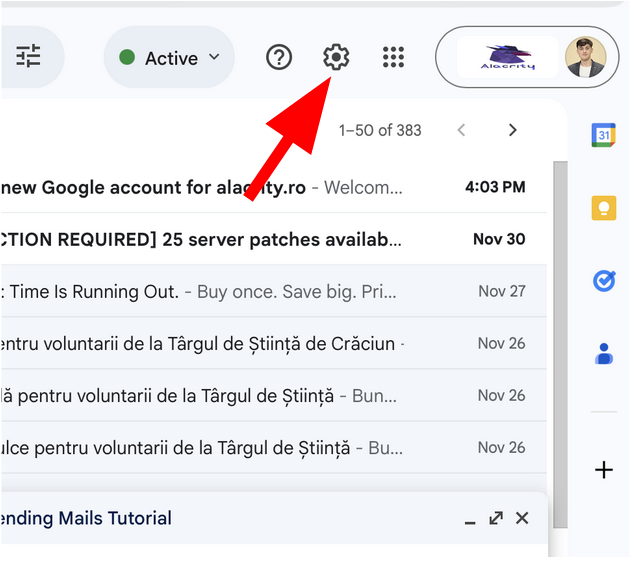
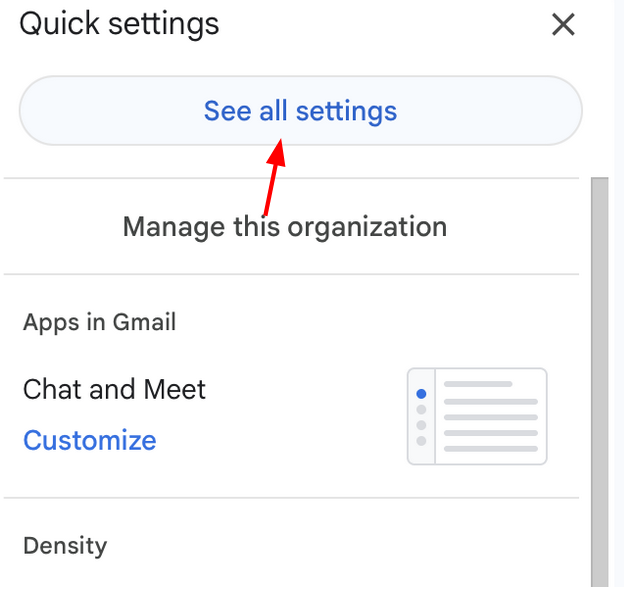
First log into your Gmail Account with alacrity credentials. Next go to Settings -> See all Settings.
Now go to accounts -> add another email address. We are going to add an address not as an alias. Type in your group address.
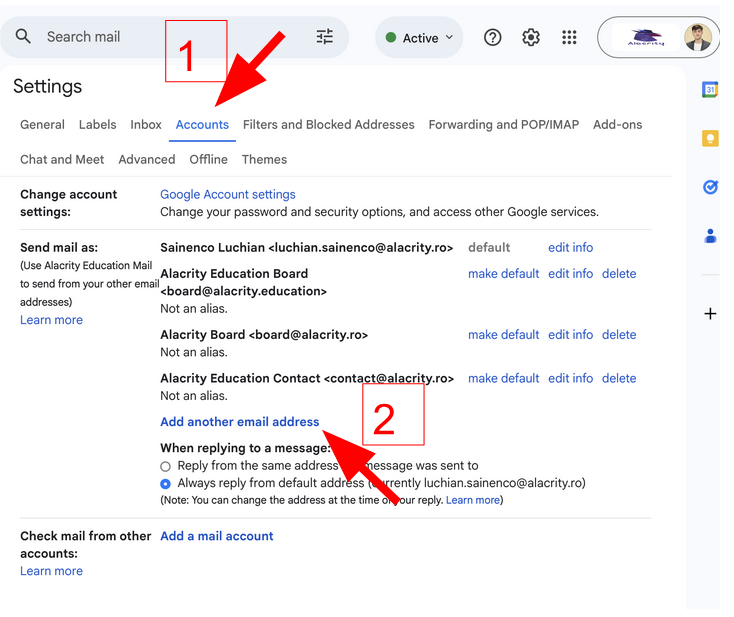
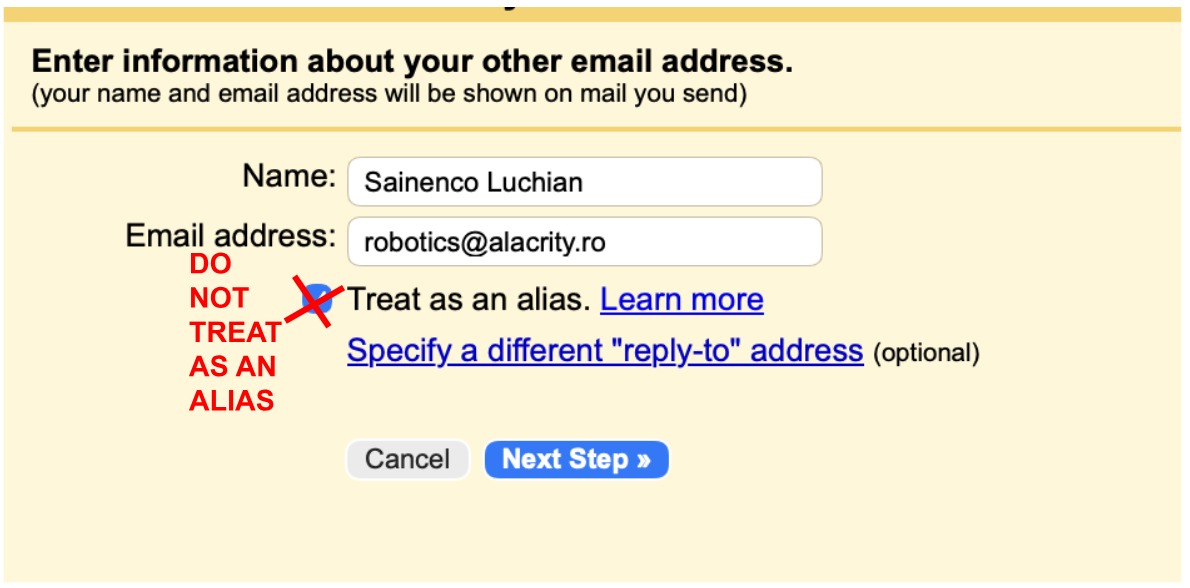

After the verification is sent, you can return to your inbox and confirm it.
3. Sending mails
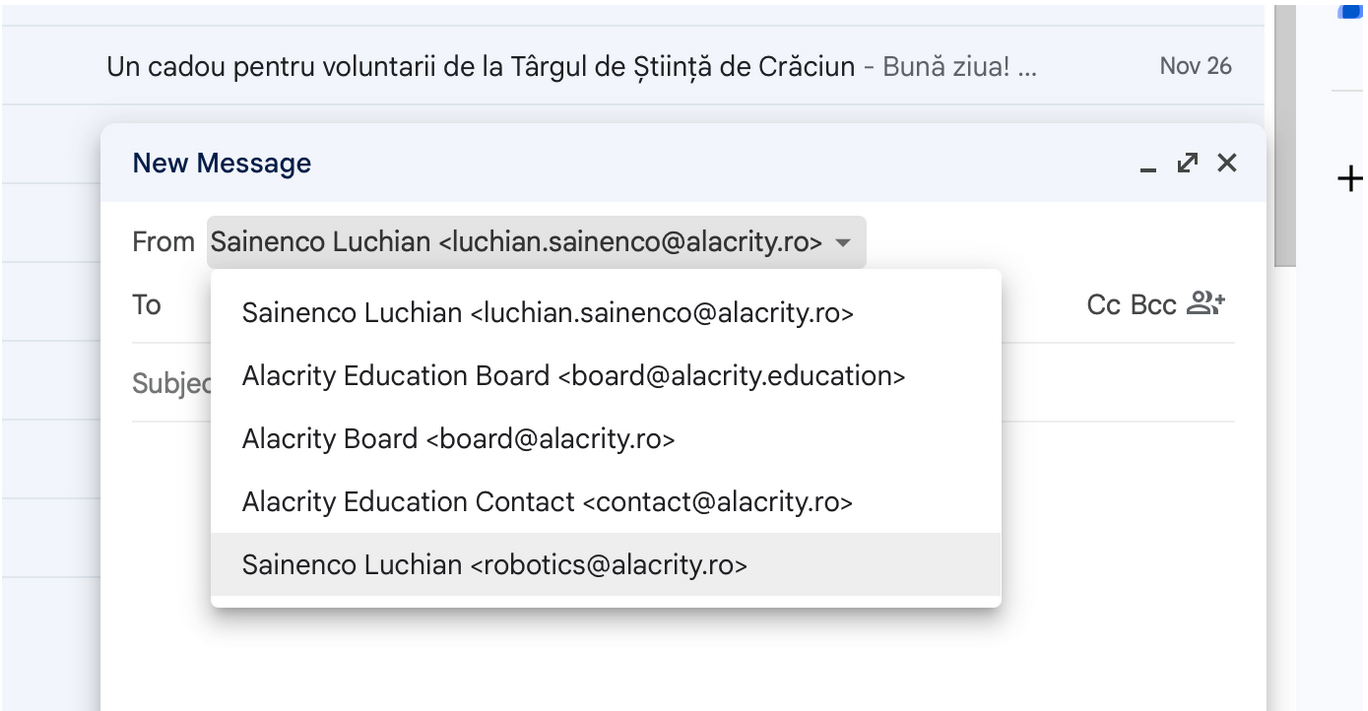
Once the verification passed you can proceed sending emails using the group mail address. Compose a new mail and now you can select the desired mail address from a dropdown in the from field.