Terratomere (Azure, ex Rathole)
The server codenamed Terratomere runs the loadbalancer, reverse proxy and for al the web apps, as well as Coolify (A docker orchestrator). It also runs a tunnel server which exposes services from Astralescence to the internet.
Specs
Rathole is a VPS on Azure. Specs ar the following:
- Type: Standard B4S v2
- VCpus: 2
- Memory: 4GB
- Storage: 30GB HDD
- DNS Name: rathole.westeurope.cloudapp.azure.com
- Static IP: 20.61.216.119
- OS: Debian GNU/Linux 12 (bookworm)
Networking setup
Public address
Azure VM has an assigned static public ip and DNS name:
- DNS Name: rathole.westeurope.cloudapp.azure.com
- Static IP: 20.61.216.119
The following ports are opened on Rathole:
- 80 & 443 HTTP & HTTPS
- 22 SSH
- 25565 Minecraft
- 2333 Rathole
- 30814 BeamNG
Documented Incident: On 16 November 2025 Microsoft accidentally dealocatted the statically assigned ip address, this in turn causing a major outage of all services.
Traefik (via Coolify)
Azure/Rathole/Traefik service servers as a L7 load balancer.
All traffic is redirected towards Astralescence except some applications which are hosted on Excalibur. The config can be found at /data/coolify/proxy/dynamic/loadbalancer-alacrity-landing.yaml on Rathole. The current loadbalancing is being phased out and the only service hosted on excalibur is Monoclubotosani NGO's website.

Rathole Tunnel
Rathole is the name of the Tunnel Service. It was used to make the connection of the servers (as Astralescence) network-agnostic. Meaning that Astralescence did not require router port forwarding to expose its services to the internet. This is no longer needed for HTTP/HTTPS/SSH/FPT, as Cloudflare Tunnels support exposing applications using these protocols using Public Hostnames. However, for arbitrary TCP/UDP (such as needed for running a Minecraft server) a full tunnel is required.
Current Rathole Config:
Servers Connection
[server]
bind_addr = "0.0.0.0:2333" # `2333` specifies the port that rathole listens for>
default_token = "redacted"

[server.transport]
type= "noise"

[server.transport.noise]
local_private_key = "redacted"

[server.services.astralescence]
bind_addr = "10.0.1.1:2201"

[server.services.http-astralescence-main]
bind_addr = "10.0.1.1:8088"

[server.services.excalibur]
bind_addr = "10.0.1.1:2203"

[server.services.http-excalibur-main]
bind_addr = "10.0.1.1:8083"

[server.services.minecraft]
bind_addr = "0.0.0.0:25565"

[server.services.beammptcp]
bind_addr = "0.0.0.0:30814"
type = "tcp"

[server.services.beammpudp]
bind_addr = "0.0.0.0:30814"
type = "udp"

/etc/hosts file
Because Coolify does not like sharing ip addresses between workers and since all workers are pointing to the same local ip address via Rathole the following /etc/hosts was created:
10.0.1.1 trueastralescence
10.0.1.1 excalibur
Astralesence
Astralescence is (was) the primary build and hosting server for all the services. It is a self-deployed Dell 1u Server.
Specs
- Type: Dell PowerEdge R610
- CPU Sockets: 2
- CPU Cores (total): 16
- Memory: 96GB DDR3 1333Mhz
- Storage: 2TB (RAID)
- IP / Connection: rathole/astralescence or rathole/trueastralescence
- OS: Debian GNU/Linux 12 (bookworm)
Networking setup
Rathole
Base Setup:
[client]
remote_addr = "redacted:2333"
default_token = "redacted"

[client.transport]
type="noise"

[client.transport.noise]
remote_public_key= "redacted"
Client to Server traffic is encrypted using a Noise protocol. This is enough for any kind of traffic between the two servers.
Coolify deployemnt configuration requires a ssh port for orchestration and a http/s port open for basic Traefik web serving.
[client.services.astralescence]
local_addr = "0.0.0.0:22"

[client.services.http-astralescence-main]
local_addr = "0.0.0.0:443"
SSL termination is done at the Workers, not at the load balancer, as each coolify worker runs a Traefik instance as a reverse proxy.This is being phased out.
Other forwarded ports:
[client.services.minecraft]
local_addr = "0.0.0.0:25565"

[client.services.beammptcp]
local_addr = "0.0.0.0:30814"
type = "tcp"

[client.services.beammpudp]
local_addr = "0.0.0.0:30814"
type = "udp"
Cloudflared & tailscale
This server is exposed via two other services:
- Cloudflared for backup port forwarding, serving https applications. Currently cloudflared serves alacrity.ro and eminescuipotesti.ro
- Tailscale for quick access and maintenance.
Docker networks and all deployed services will be documented in a separate file.
TODOSainenco
Add more details about Astralesence.
Overview of hardware and any special network requirements together with it.
If we plan to decommission and move to the lab, we need all the details about it to ensure a smooth migration with little downtime.
TODOAlex Lucaci: Decomission minecraft server on Khazadum and make space for some build servers there.
Excalibur
Excalibur is another Azure VM deployed for Monoclu Botosani NGO and Memorialul Ipotesti Public Institution.
It currently hosts https://monoclubotosani.com and https://eminescuipotesti.com
Specs
Excalibur is a VPS on Azure. Specs ar the following:
- Type: Standard B4ls v2
- VCpus: 4
- Memory: 8GB
- Storage: 100GB SSD
- Threads per core: 2
- DNS Name: none
- Static IP: 20.67.254.143
- OS: Debian GNU/Linux 13 (trixie)
Windblade
Excalibur Google Cloud VPS deployed for hosting exclusively the uptime monitor https://uptime.alacrity.ro the alias https://status.alacrity.ro
Specs
Windblade is a VPS on Google Cloud. Specs ar the following:
- Type: Standard e2-micro
- VCpus: 0.1
- Memory: 1GB
- Storage: 30GB Standard HDD
- OS: Debian GNU/Linux 12 (bullseye)
Networking setup
Cloudflared
This server's services are exposed via a Cloudflared tunnel.
Lab Network
The Lab infrastructure is built on a modified Router-on-a-stick design with WAN connections at one of the vlans.
Separate network segments are provided for isolation of devices with different roles and access levels. A firewall running on the central gateway controls access.
Architecture
The central router (RLab) acts as the single L3 network equipment. It supported by 3 switches on trunk ports, whose role is to provide access ports to end devices. Internet uplink L2 connectivity is tunneled to the router by SVlad trough a isolated vlan.
Switches are:
- SCore (10.12.1.2) - Uplink from RLab on Ether1, provides access port to core rack servers.
- SHenri (10.12.1.4) - Uplink from RLab on Ether1, Ether10 trunk downlink to APHenri.
- SVlad (10.12.1.3) - Uplink from RLab on Ether1, Ether10 trunk downlink to APVlad. Contains the access port for the Digi WAN vlan.
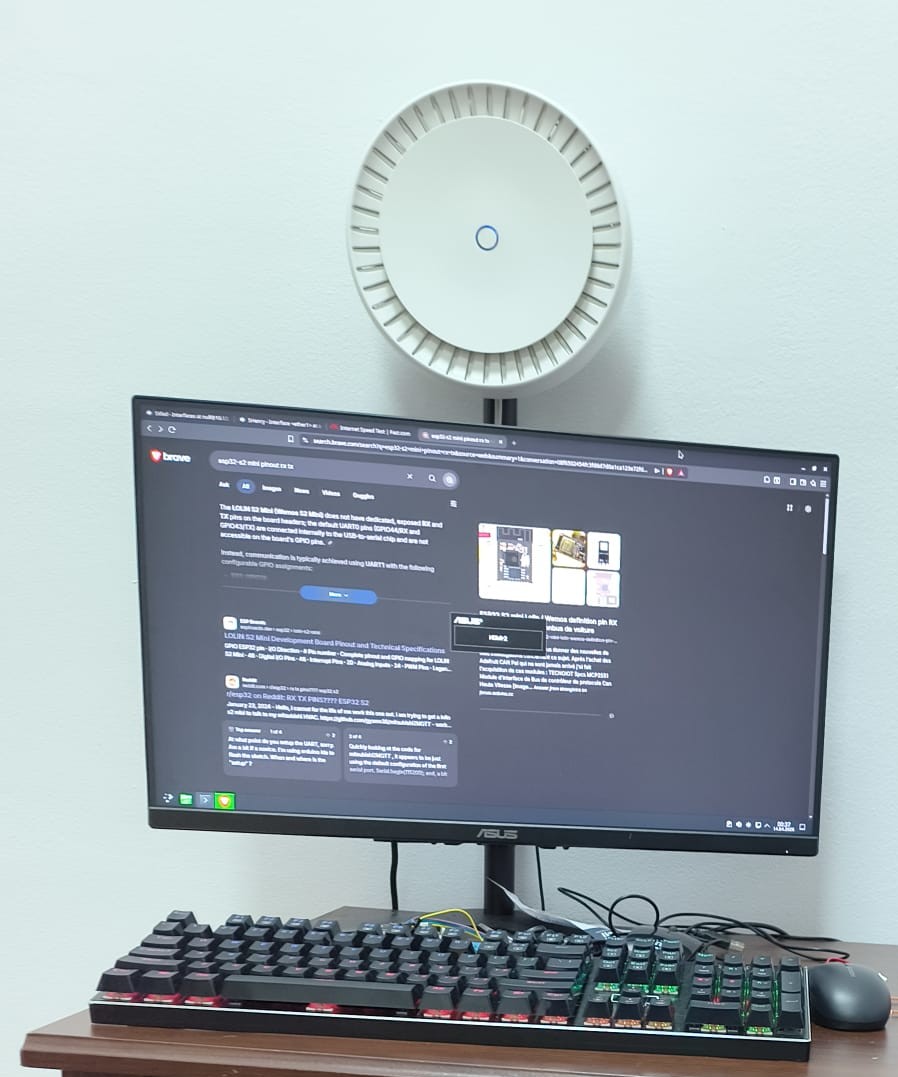
Two access points (Mikrotik cAP AX) are placed in each of the rooms. RLab router runs CAPsMAN and controls the radios of these AP's. All vlan's use local forwarding (traffic gets processed on CAP) except the VJail network, which uses CAPsMAN traffic processing to be able to apply filtering rules centrally.

Core Rack
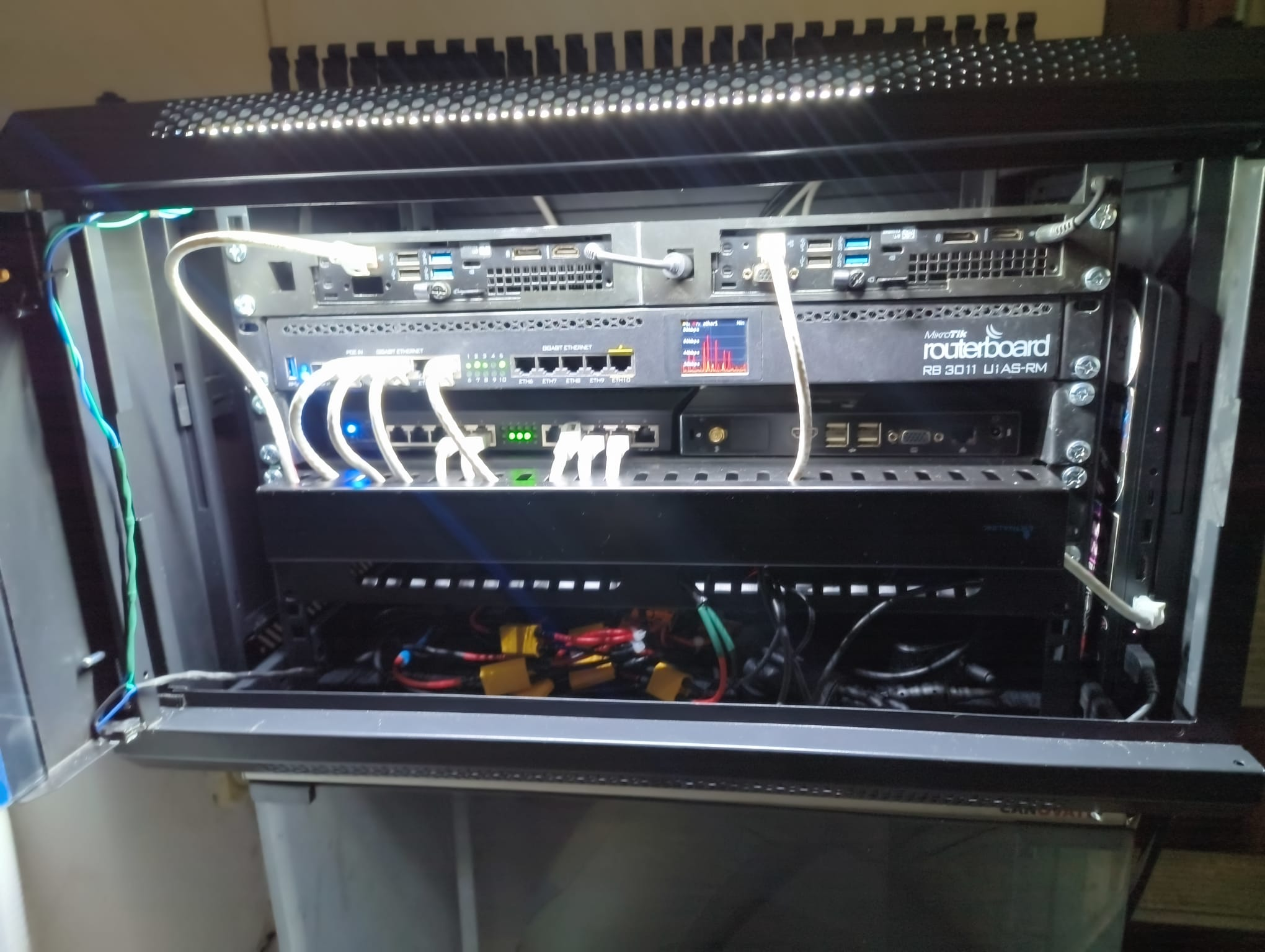
The core rack is located in the entrace hallway and contains the heart of the network: RLab, SCore and a few servers.
Already existing wiring in the building is used to distribute trunk ports to other sections of the house, including Henri and Vlad. The reception room and classroom are connected using only access pors on the RLab router itself.
The SCore switch has a display where charts of the traffic on Ether1 ports can be observed. The last 5 ports are reserved for future use with IP cameras and NVR.
| Core Rack | Henri AP temporary mouting |
|---|---|
 |
 |
Servers
Servers should normally live in the core rack and the VServers vlan, except cases where they are needed in other physical locations and/or network configurations.
- Pallas (pallas.lr, 10.12.16.18) handles low-level data services like logs and telemetry collection. Here we will also deploy services manipulating infrastructure.
Specs: Dell 3060, Intel i3-8300T, 16G ram, 500GB NVMe SSD.
Runs Dell3060ForcePower daemon to ensure full performance on 20V PDU. - Eros (eros.lr, 10.12.16.20) is the main server running https termination (caddy), Wiki and Authentik stacks, URL shortener and other production setups.
Specs: Dell 3060, Intel i3-8300T, 16G ram, 1TB NVMe SSD.
Runs Dell3060ForcePower daemon to ensure full performance on 20V PDU. - Ceres (ceres.lr, IP TBD) runs automation software in the form of Home Assitant OS and handles connectivity to the Zigbee network.
Specs: Intel Atom (check!), 4-8G ram, mSATA SSD. (check when installation done!).
Vlans
All bridges will be called bridge. They will have VLAN filtering turned on.
| VID | Interface Name | Network | Devices | Notes | WiFi |
|---|---|---|---|---|---|
| 100 | VMgmt | 10.12.1.1 | Switches, Routers | No! | |
| 200 | VClock | 10.12.2.1 | Clockworks printers and regular stuff | ClockWorks | |
| 300 | VAlacrity | 10.12.3.1 | Alacriy regular devices | Alacrity | |
| 400 | VIoT | 10.12.4.1 | HassOS, cameras, Boron. | LabIoT (hidden) | |
| 500 | VGuest | 10.12.5.1 | NO access to othe vlans | LabGuest | |
| 501 | VJail | 10.12.51.1 | Bambu's and other chatty shit | NO access between devices, NO access to other vlans | LabIso |
| 101 | VWanConsumer | Whatever digi gives | Primary Uplink | Internet Uplink PPPoE (Digi) | No?! |
| 102 | Reserved | Provider-allocated | Future Uplink | Reserved | No?! |
| 103 | Reserved | Provider-allocated | Future Uplink | Reserved | No?! |
| 104 | Reserved | - | Reserved | Reserved | TBD |
| 105 | Reserved | - | Reserved | Reserved | TBD |
| 106 | Servers | 10.12.16.1 | Eros, Pallas, Ceres | Servers and stuff | No! |
Lab network layout

Cold start
The network and all associated devices are able to boot successfully after a complete lab power cut. The test was performed successfully on 20th April 2026.
Laboratory workstations are configured in BIOS to not power on after a power outage.