Arduino IDE
The IDE
Visit the official guide from Arduino. Install any drivers and give any permissions it requires.
If you are on Arch Linux or derivatives (CachyOS, Manjaro), install the arduino-ide-bin AUR package instead of the official AppImage.
Board libraries
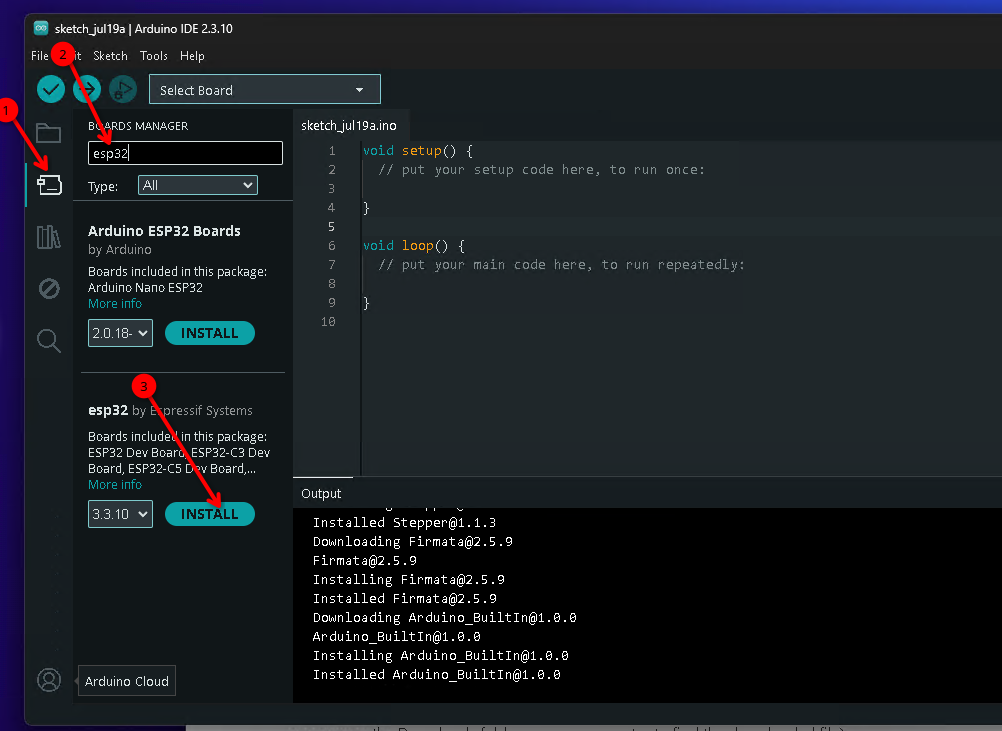
Go into the Board Manager view and install the esp32 by Espressif Systems. The installation will take a few minutes.
 |
|---|
Validation: In the Tools menu, Board -> esp32 submenus, you should be able to find a board called
LOLIN S2 mini.
Sensor libraries
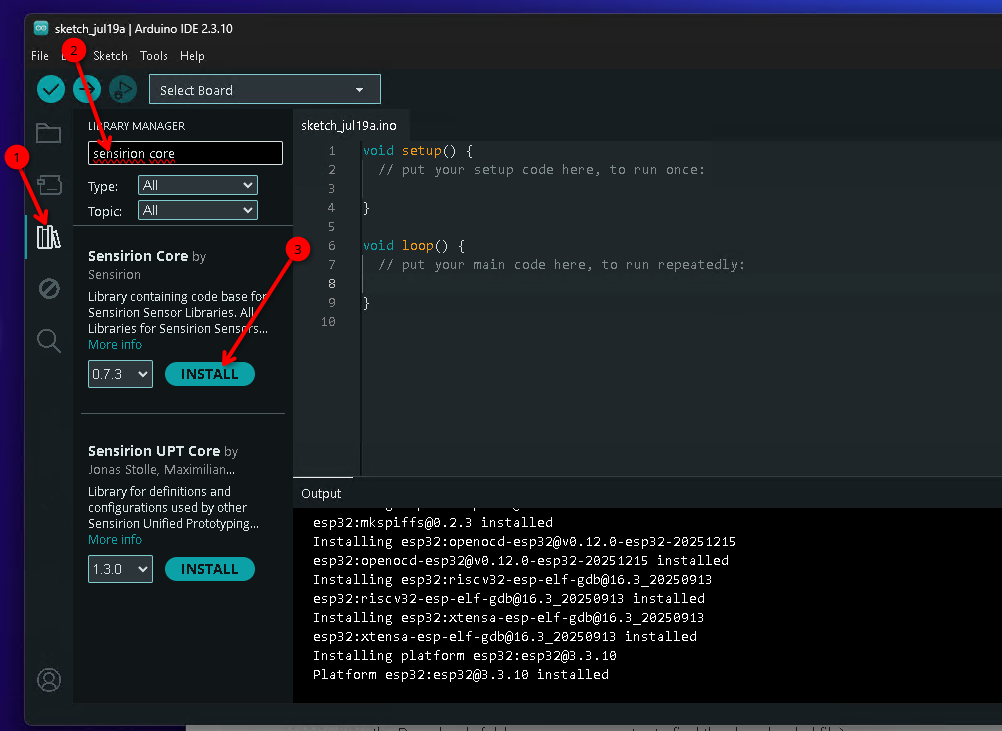
Go into the Library Manager and install the following libraries:
Sensirion I2C SEN66. If prompted to install dependencies, answer yes.DallasTemperatureOneWire
 |
|---|
KiCAD
We will use KiCAD to design a PCB addon. Download the KiCAD installer from this link (Windows) or this link (MacOS).
You will need about 7GB of space on your main drive. Install using all the default options.
If on Linux, install the following packages using your package manager:
kicad kicad-library kicad-library-3d

# Arch, CachyOS, Manjaro
sudo pacman -S kicad kicad-library kicad-library-3d

# Ubuntu, Debian
sudo apt install -y kicad kicad-libraries
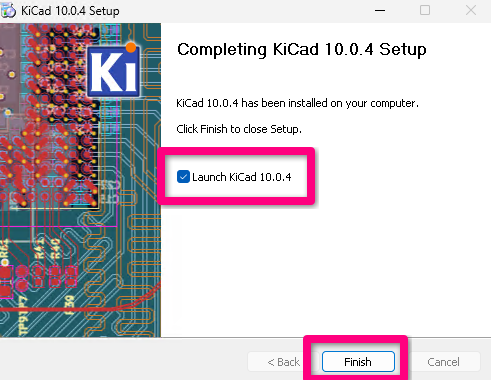
After installation is complete, check the Launch KiCad 10.2.4 on the last page. We will proceed with configuring component libraries.
 |
|---|
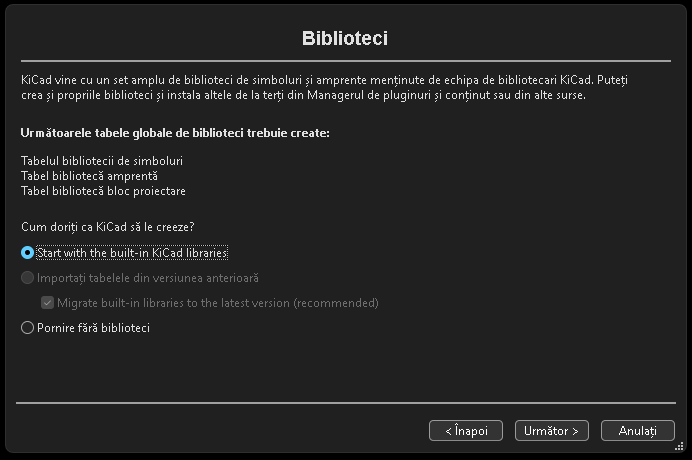
During the first run, you will be asked a few configuration options. Choose the defaults.
It is important to configure the standard KiCAD libraries.
 |
|---|
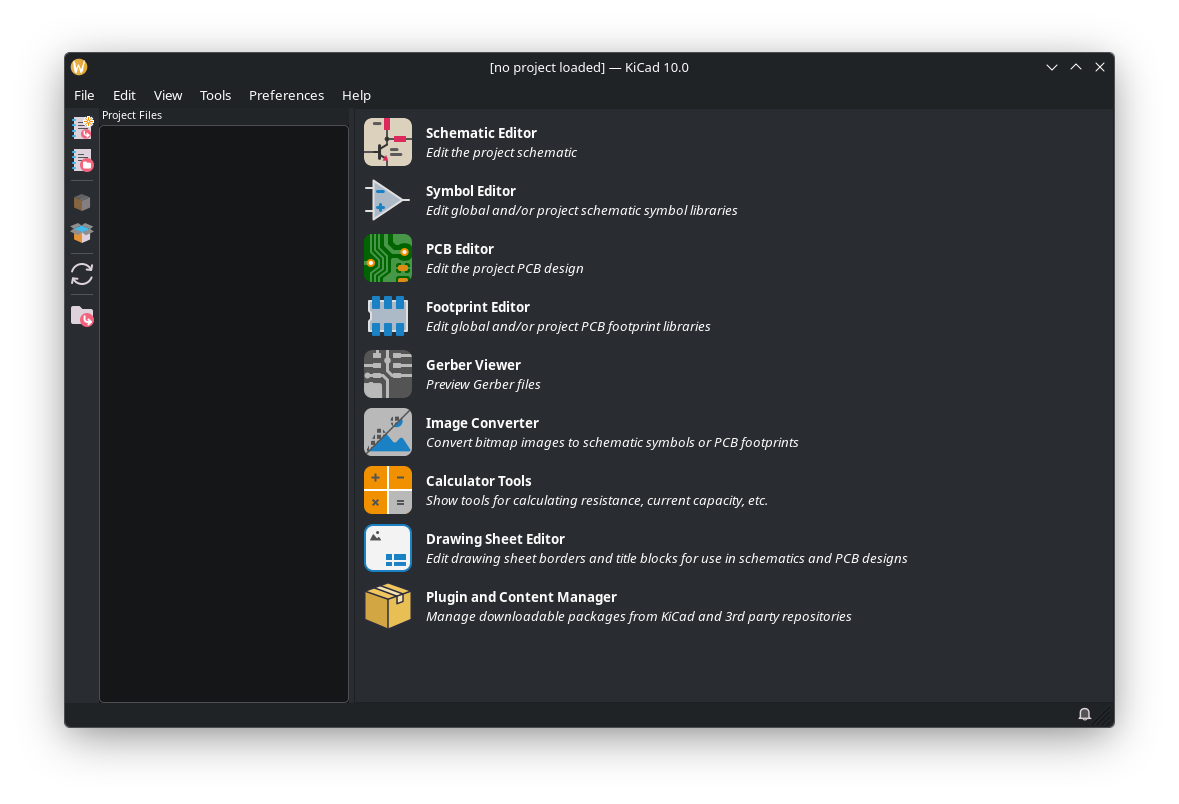
This is the main KiCAD screen. Installation is finished
 |
|---|
AirBox soruce files
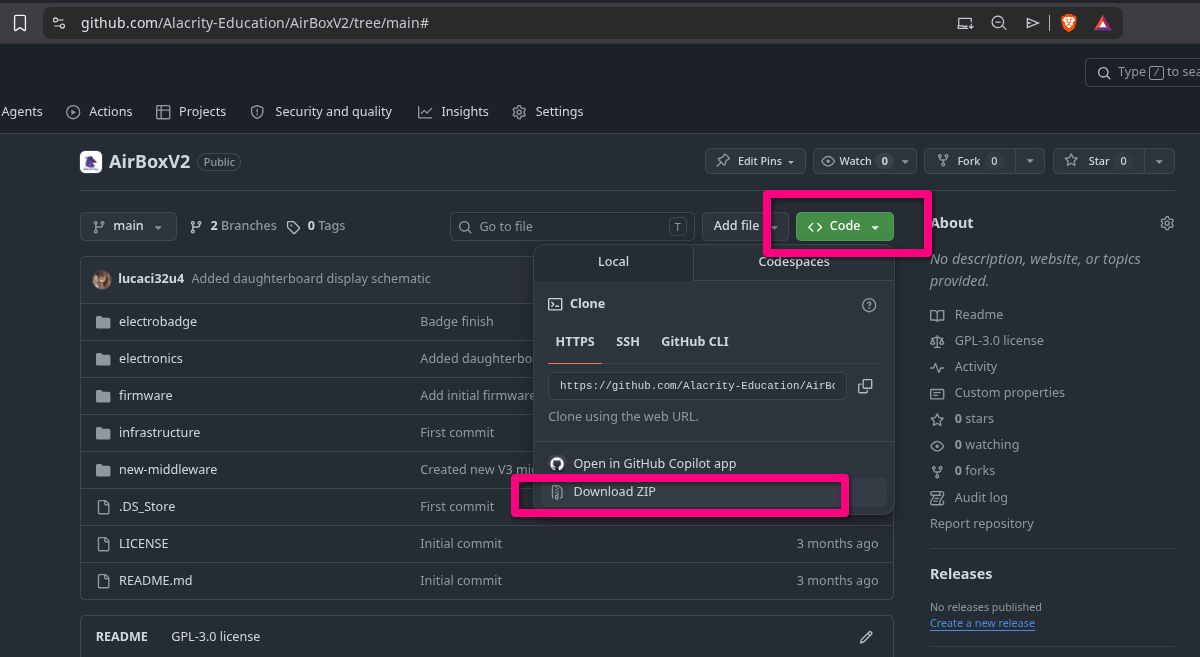
Use this link to access the AirBoxV2 source files, including KiCAD schematics. Download as a zip file and unarchive somewhere in your computer.
If you are fammiliar with git, you can git clone this URL instead
https://github.com/Alacrity-Education/AirBoxV2.git
 |
|---|
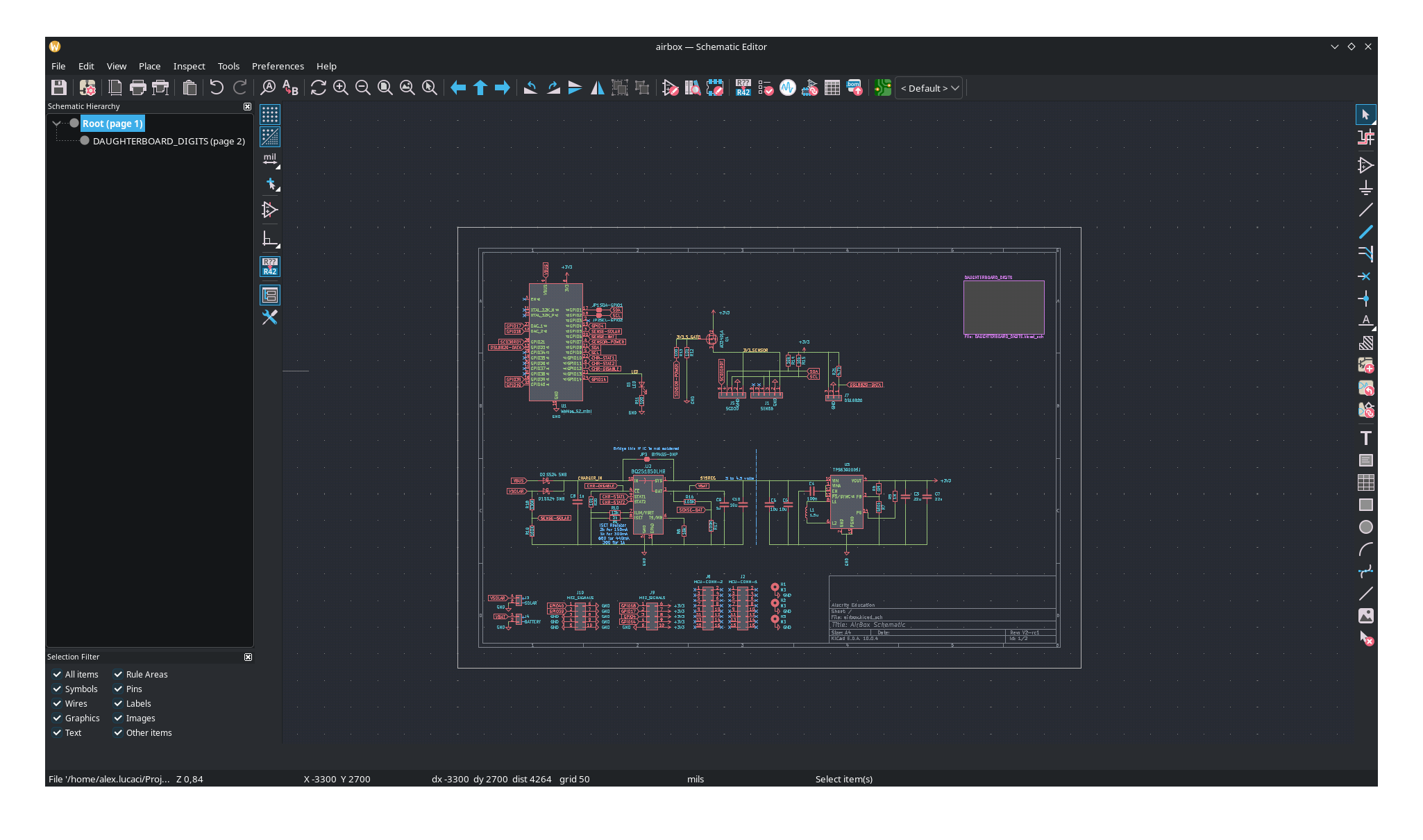
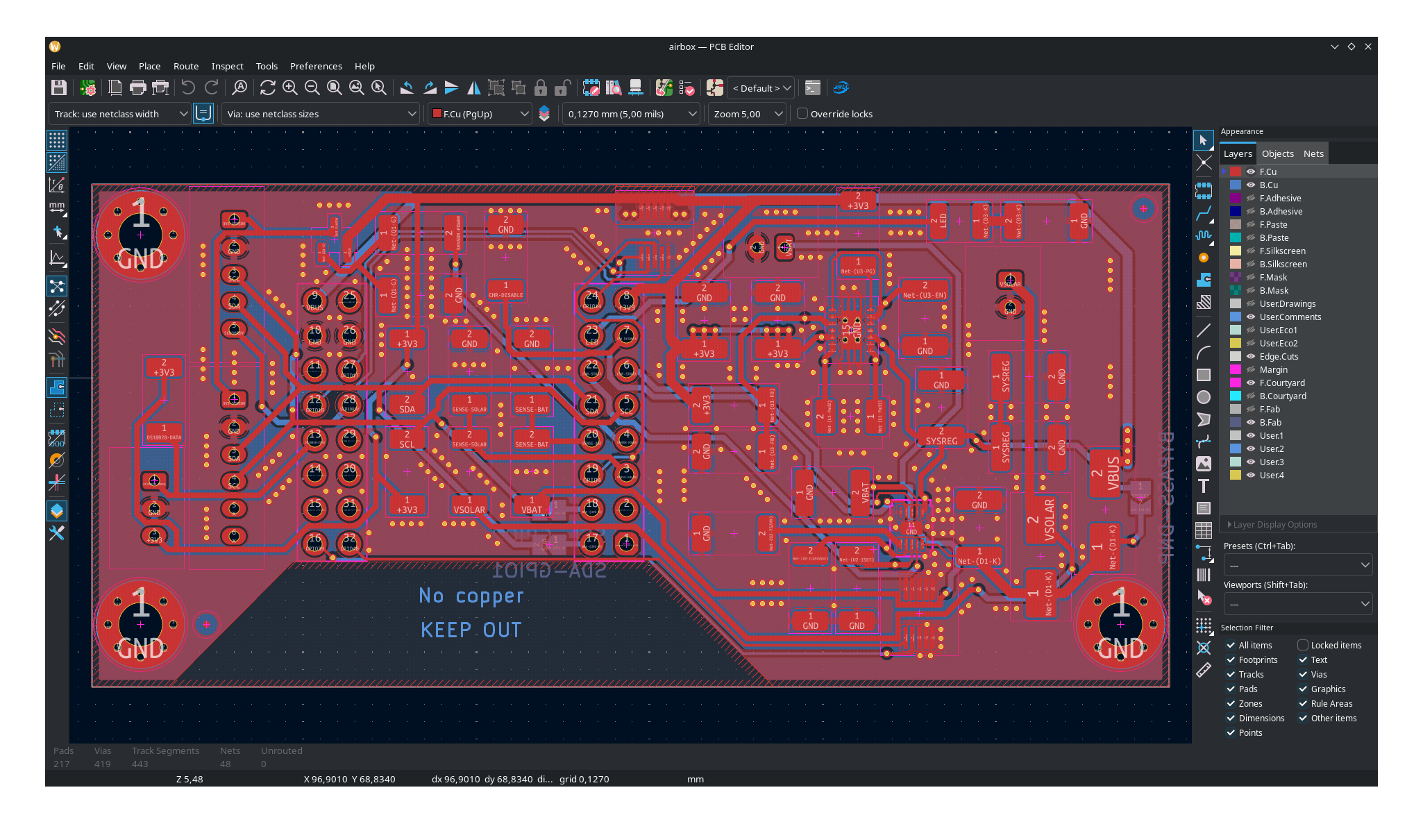
Open KiCAD, go to File -> Open Project and select the airbox.kicad_pro file in electronics/ folder that you downloaded earlier. You should be able to now see the electronics design project files.
 |
 |
|---|---|
Clicking on the Schematic Editor will show you the schematic view |
Clicking on the PCB Editor will show you the PCB editor |